 THE CURIOUS SIDE OF AI
AI News
The Signal Arcade is live: nine games, controllers and fullscreen play
AI Assisted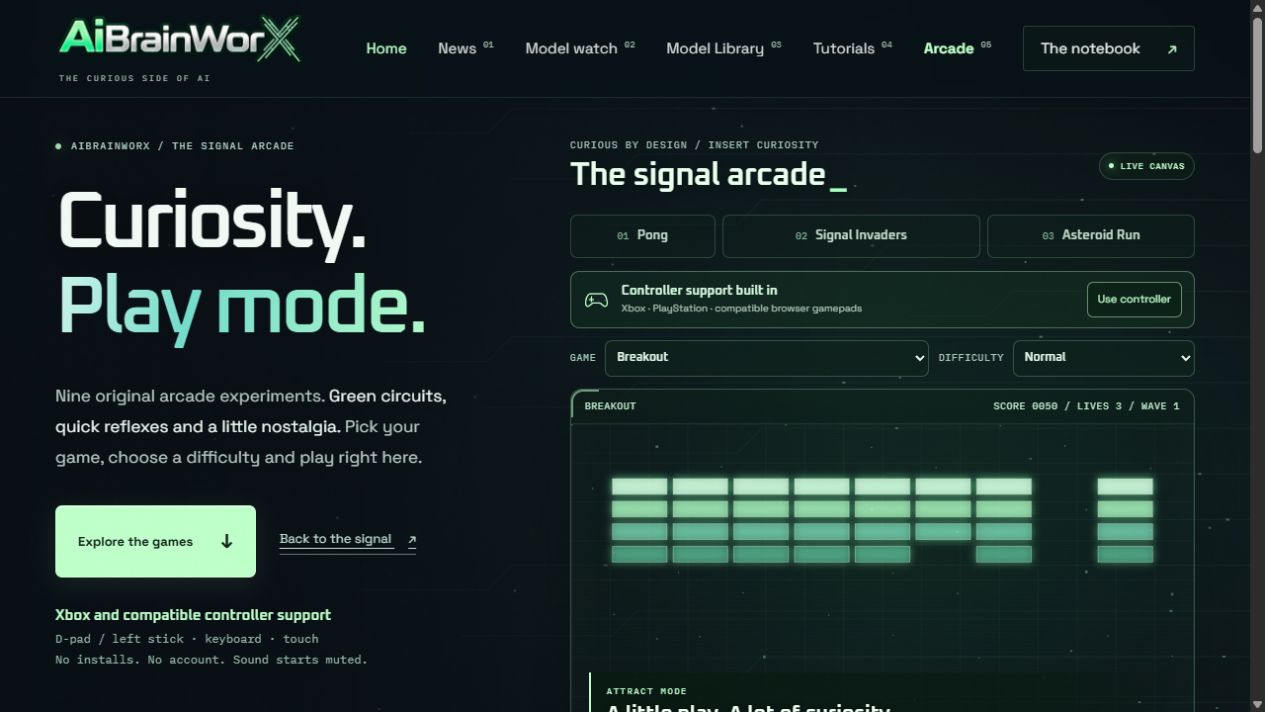
The Signal Arcade is open. AiBrainWorX now has nine original browser games, a dedicated gallery, three difficulty settings, optional sound and fullscreen play. The homepage gives you a rotating taste of the collection; the Arcade page lets you choose your next run.
Product update: October 25, 2026. Published October 25, 2026. Built with AI-assisted development by AiBrainWorX.
Nine ways to follow the signal
We kept the site’s mint-green circuits and transparent panels, then put playable experiments inside them. The games run directly in the page using Canvas and synthesized audio. Your model server and launcher can stay closed.
- Pong: play the system in a first-to-five paddle match.
- Signal Invaders: clear formations of original pixel bots.
- Asteroid Run: steer, thrust and split vector rocks.
- Breakout: keep the ball alive and clear the brick walls.
- Snake: collect signals and plan your next turn.
- Circuit Sprint: jump barriers in a scrolling circuit city.
- Orbital Dodge: collect diamonds while incoming hazards converge.
- Neon Rally: steer through traffic and use boost when you dare.
- Signal Catch: catch glowing diamonds and avoid corrupt packets.
Bring your controller
A prominent controller banner sits above the playfield. Connect an Xbox, PlayStation or compatible controller to your device, choose Use controller, then press a controller button so the browser can detect it.
Standard mappings use the D-pad or left stick for movement, the primary face button for play or the game’s main action, the secondary face button to pause, and Start to resume. On Xbox, those face buttons are A and B. Button labels and support can vary with the browser and controller. Keyboard instructions appear beside the player, and smaller screens get on-screen controls.
Test status: keyboard and on-screen input checks passed, along with simulated standard-gamepad mapping checks. Physical controller testing is still pending; we welcome reports of specific device and browser combinations.
A bigger playfield, on your terms
Choose Fullscreen beside the play controls for a larger view. Use Exit fullscreen or your browser’s exit gesture to return. Availability depends on browser support. Easy, Normal and Hard adjust game pressure; changing the setting begins a fresh run.
Sound starts muted. Turn it on for game-specific synthesized effects, then mute it whenever you like. The idle showcase rotates every ten seconds while visible. Playing and paused runs keep their selected game, and the rotation has its own switch.
A quick break, built into AiBrainWorX
No account or model download is required to play. Scores belong to the current run and reset when you start over or change games. The collection uses original code, vector and pixel graphics, and synthesized effects.
Explore the full nine-game gallery, or return to our local-AI launcher tutorial and measured results when you’re ready to build something.
Put the arcade on your website
The arcade page now includes a copyable embed block. Paste it into a custom HTML block to add the branded nine-game player to your own site. The dedicated player includes the game picker, difficulty settings, optional sound and fullscreen controls; your site must permit iframe fullscreen and gamepad access for those features.