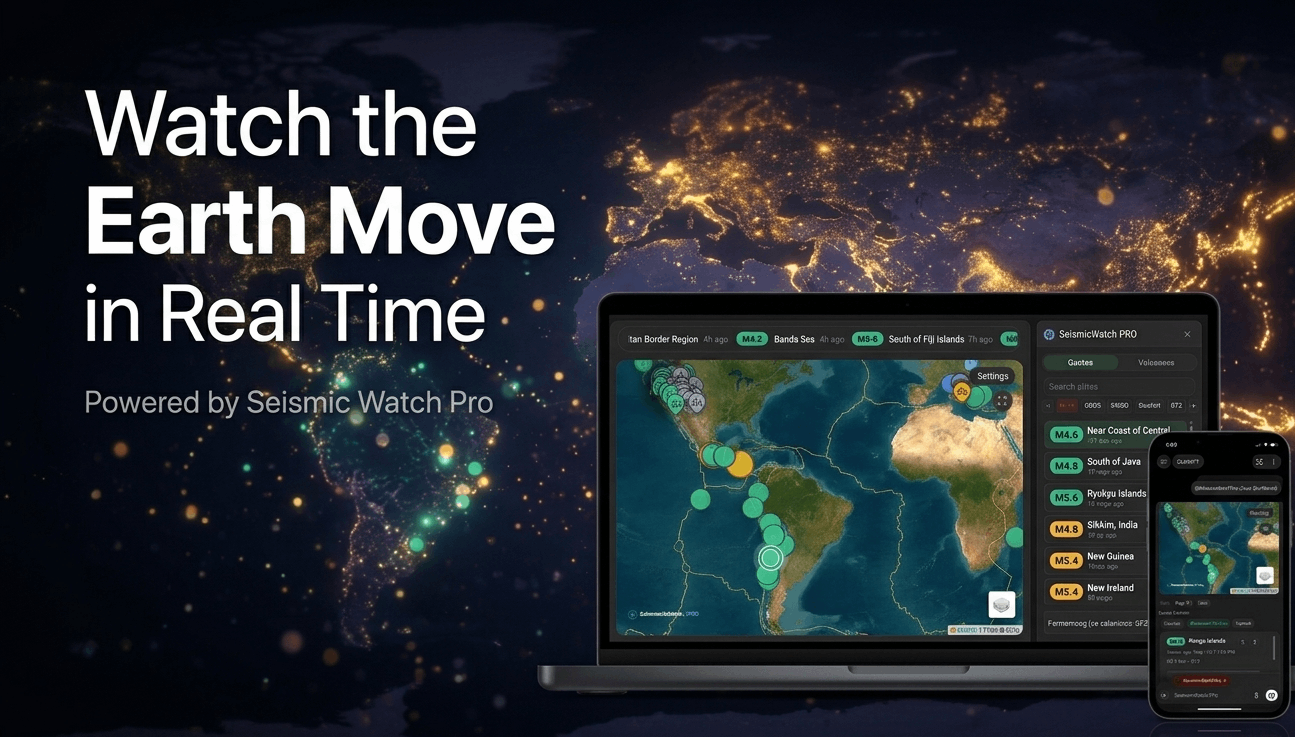

Seismic Watch Pro is a free, real-time earthquake and volcano monitoring app inside ChatGPT, designed to feel less like a feed reader and more like a live command center. It combines an interactive seismic dashboard, multi-source earthquake tracking, volcano monitoring, scientific detail panels, observatory media, configurable alerts, and natural-language controls into one continuous experience. You are not just reading updates. You are tracking a living planet.
A live seismic dashboard that feels alive
Open Seismic Watch Pro and you land in a dashboard built for active monitoring. The world map is live. The event list is updating. A recent quake ticker keeps motion in view. Summary cards immediately surface what matters most, including the strongest event, current event count, and cumulative estimated energy release. The earthquake dashboard supports multiple live data sources, so you are not locked into one version of the story. You can monitor:
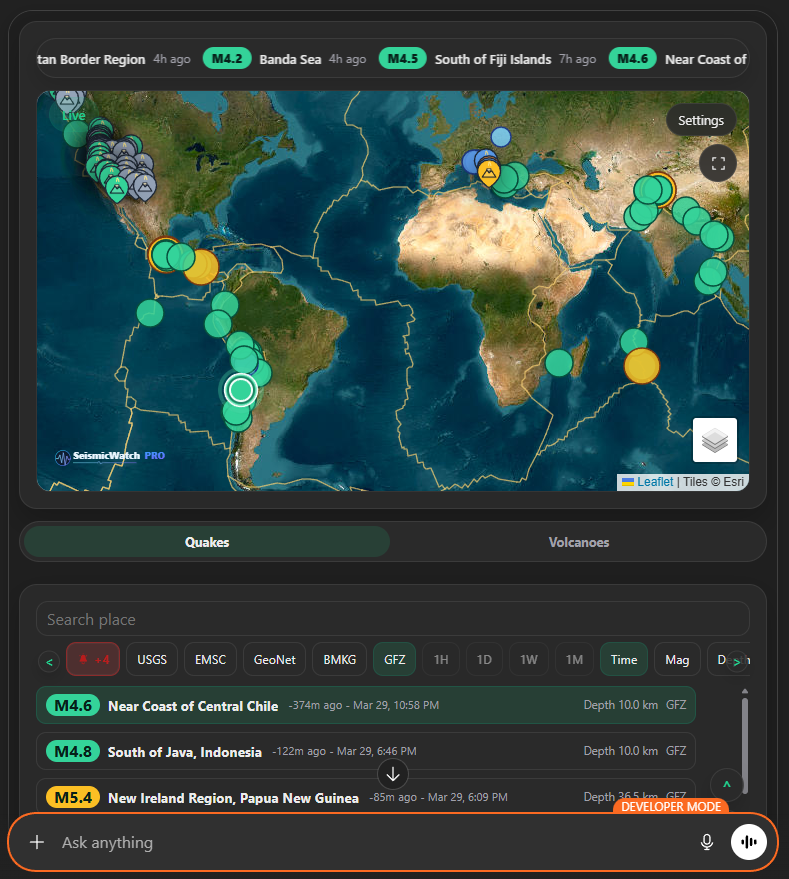
- USGS Hour
- USGS Day
- USGS Week
- USGS Month
- EMSC Europe
- GeoNet New Zealand
- BMKG Indonesia
- GEOFON GFZ
That gives you flexibility to scan globally, shift to regional perspectives, or widen and narrow your monitoring window depending on what is happening.
And the controls are built to keep up. You can:
- search by place name
- filter by minimum magnitude
- sort by time, magnitude, or depth
- switch between feed sources
- isolate significant earthquakes
- auto-refresh the dashboard every 1, 2, or 5 minutes
- manually refresh on demand
On mobile, those controls compress into a faster chip-based layout with horizontal scroll arrows so the app stays usable when space gets tight.
A map that works like a control surface
The map is not there just to make the app look good. It is central to how the product works.You can select quakes directly from the map, jump to them from the list, or ask ChatGPT to move the map for you using natural language. Focus on a specific earthquake. Focus on Japan. Focus on Chile. Focus on exact coordinates. The dashboard updates in place.
The map also supports multiple basemaps:
- Street
- Light
- Dark
- Satellite
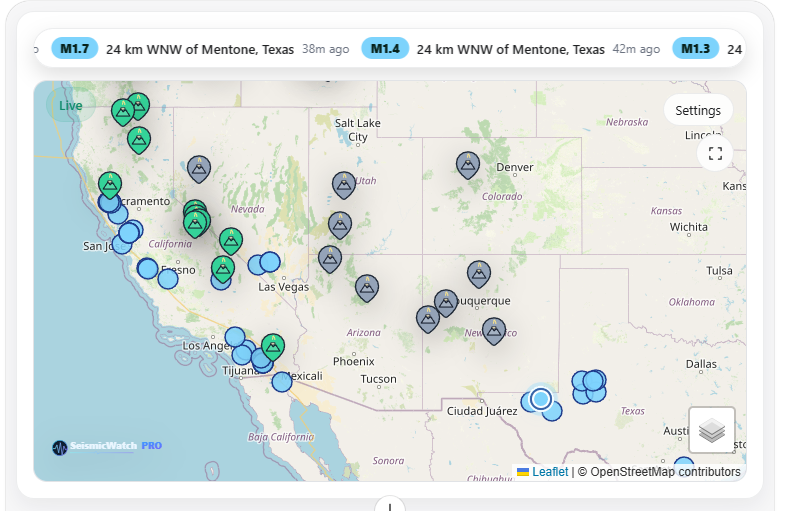
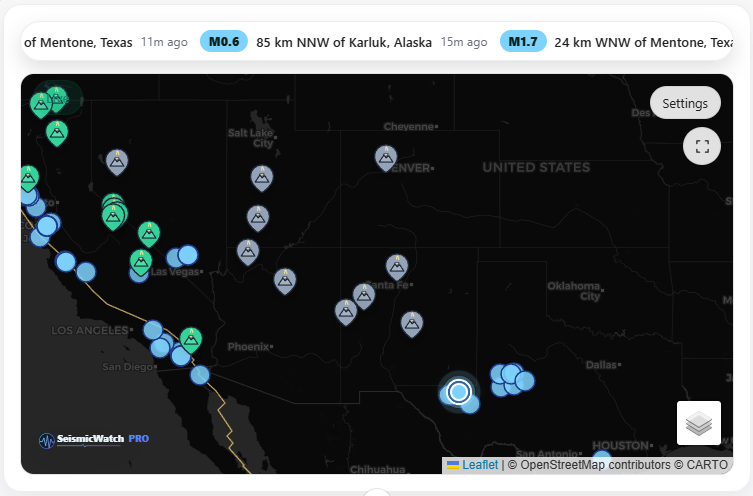
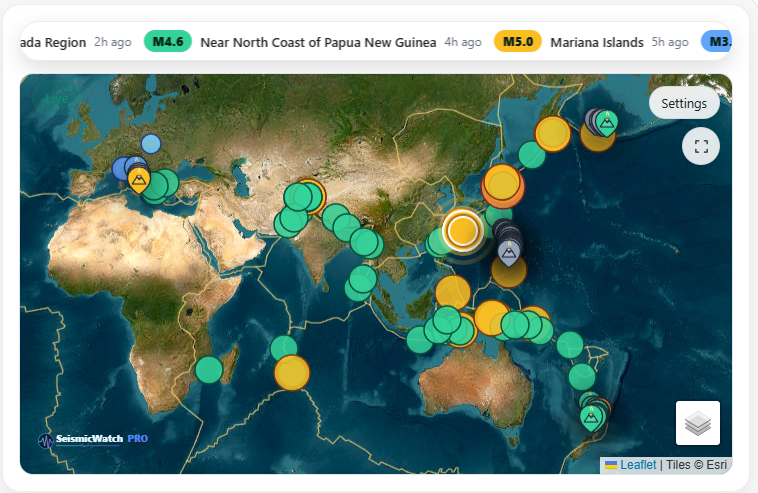
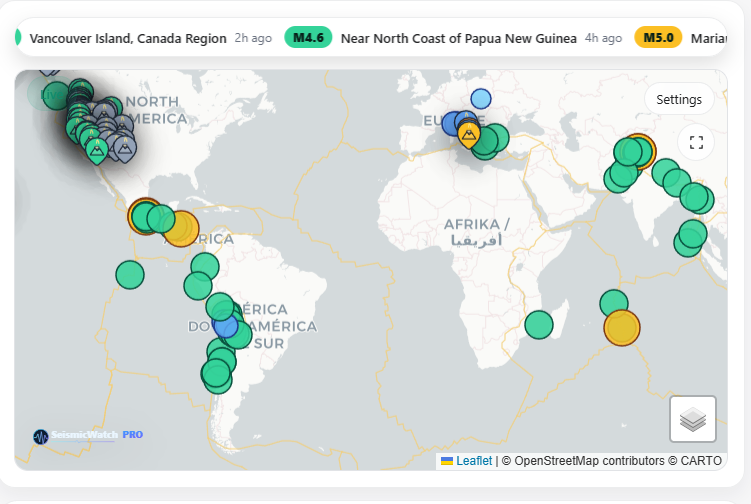
Satellite is the default, which gives the app a stronger live-monitoring feel immediately. You can also toggle overlay layers such as:
- fault lines
- volcano overlays
Selected quakes and volcanoes get strong visual emphasis, and the map can be opened fullscreen when you want a cleaner operational view.
Go from breaking event to scientific detail in seconds
Most earthquake apps stop at the headline: where it happened and how big it was. Select an earthquake and the dashboard sharpens around it. The map centers on the event. The detail panel opens. The selected quake becomes a real object of analysis, not just an entry in a list.
The detail view includes the essentials:
- magnitude
- magnitude type
- depth
- timing
- updated timestamp
- status
- significance
- tsunami flag
- felt reports
- coordinates
Then it opens up a deeper scientific layer. When available, the nearest station waveform appears at the top of the detail pane so you can move directly from event summary into instrument context. The waveform can also be viewed fullscreen.
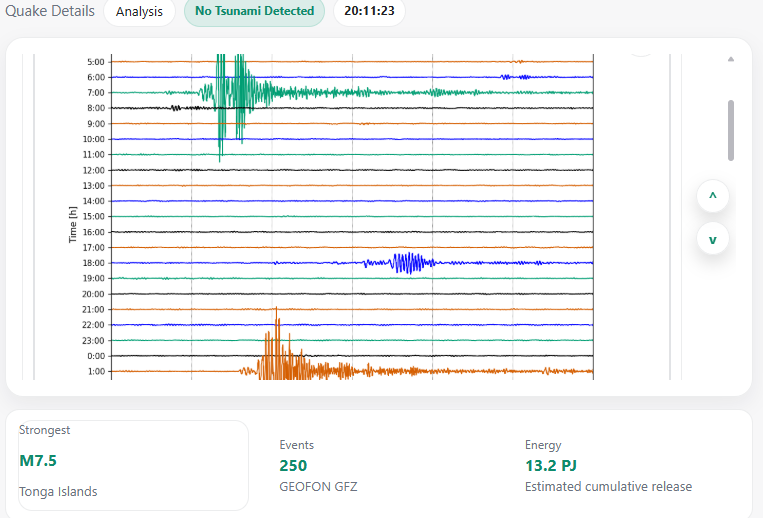
The scientific detail section can also include:
- alert level
- community intensity
- instrumental intensity
- station and phase counts
- azimuthal gap and RMS
- location error
- minimum station distance
- ShakeMap motion metrics
- review and evaluation status
- DYFI response counts
For richer events, Seismic Watch Pro can also surface moment tensor information, including derived magnitude, scalar moment, percent double couple, and nodal plane data. It can show USGS visuals as well, such as science product images and linked media.
This is where the app stops being “just another quake tracker” and becomes a tool for people who want to understand what happened, not simply acknowledge that it happened.
Built-in analysis that adds real context
One of the strongest parts of Seismic Watch Pro is the analysis panel.Instead of forcing you to mentally compare the selected earthquake against the background feed, the app does that work for you. It shows how the event sits inside the active window and gives you a structured sense of scale, rarity, and context.
The analysis layer includes:
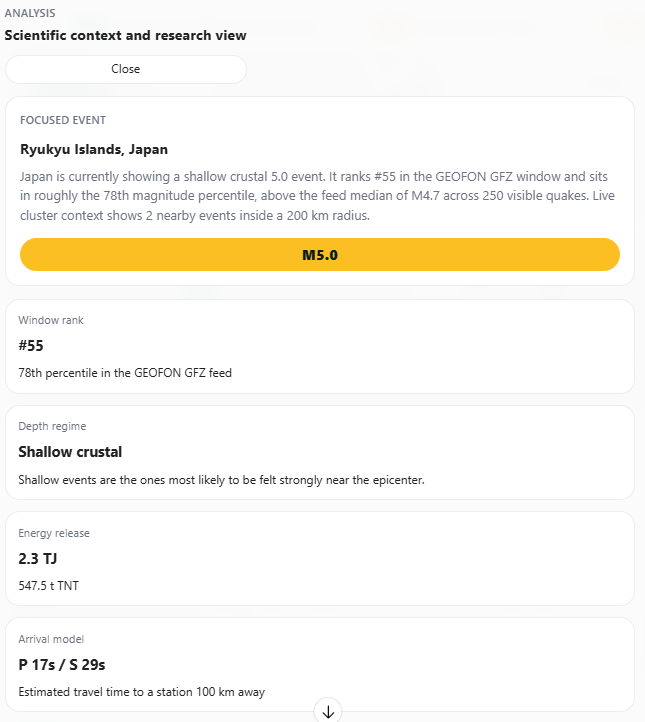
- rank within the current feed window
- percentile strength
- depth regime classification
- estimated energy release
- TNT equivalent
- modeled P-wave and S-wave arrival timing
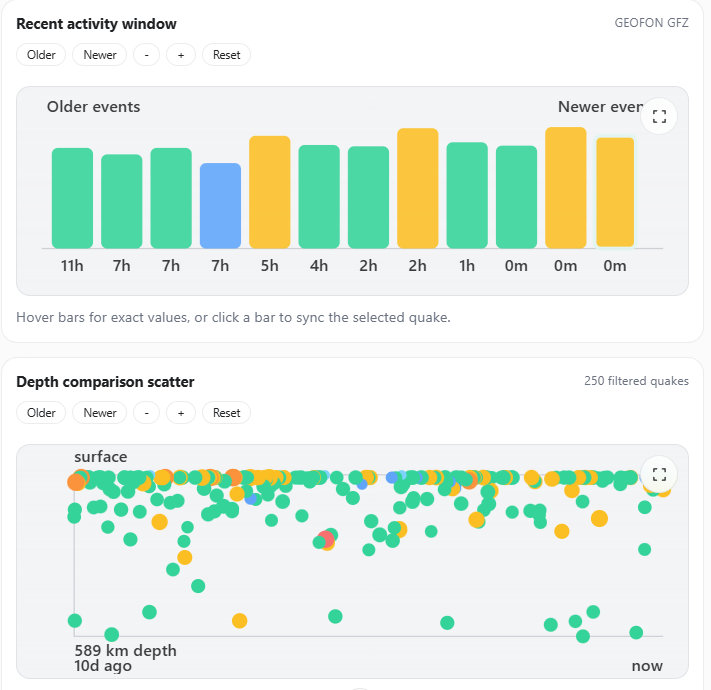
- recent activity timeline
- depth comparison scatter plot
- median magnitude and median depth
- event rate per hour
- nearest-neighbor distance
- cluster averages
- strongest-event energy share
It also generates field notes derived from the live feed metrics, helping explain whether the selected event is shallow, isolated, clustered, unusually energetic, or especially notable relative to the surrounding activity.
The charts are interactive too. You can hover for precise values, click chart points to sync selection, pan older and newer time windows, zoom in and out, reset the view, and open figures fullscreen. Seismic Watch Pro does not just show you an earthquake. It helps you see where that earthquake fits in the broader seismic picture.
Volcano monitoring with its own full workflow
Volcanoes are not a side tab here. They have their own monitoring mode. Switch to Volcanoes and the app becomes a volcano intelligence workspace with its own searchable list, status filters, sorting controls, media system, and detail experience.
You can browse volcanoes by:
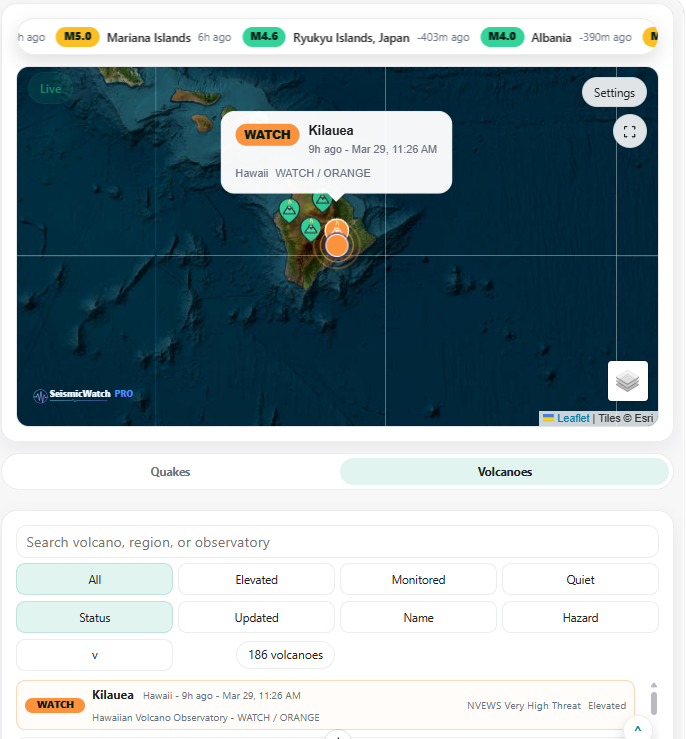
- all
- elevated
- monitored
- quiet
You can sort them by:
- status
- update time
- name
- hazard
Search works across volcano names, regions, and observatories, which makes it easy to jump from global monitoring into a specific region or system.
Open a volcano and the detail panel gives you a full current-status picture, including:
- alert level
- aviation color code
- current status
- observatory
- hazard rank
- elevation
- monitored or elevated status
- latest notice type
- coordinates
Then it keeps going with the latest volcano update, eruptive context, volcano profile, USGS field notes, recent notices, aviation advisory details, and an aviation status map.
This is not just “volcano data available.” It is a full workflow for monitoring unrest, notices, and aviation relevance in the same place you are already tracking earthquakes.
Observatory media that feels operational
One of the most engaging parts of the volcano experience is the observatory media system. When available, Seismic Watch Pro can show official volcano media feeds from providers like USGS, AVO, GeoNet, and INGV. These feeds are not dumped into the app as a dead embed. The app supports multiple media types, including:
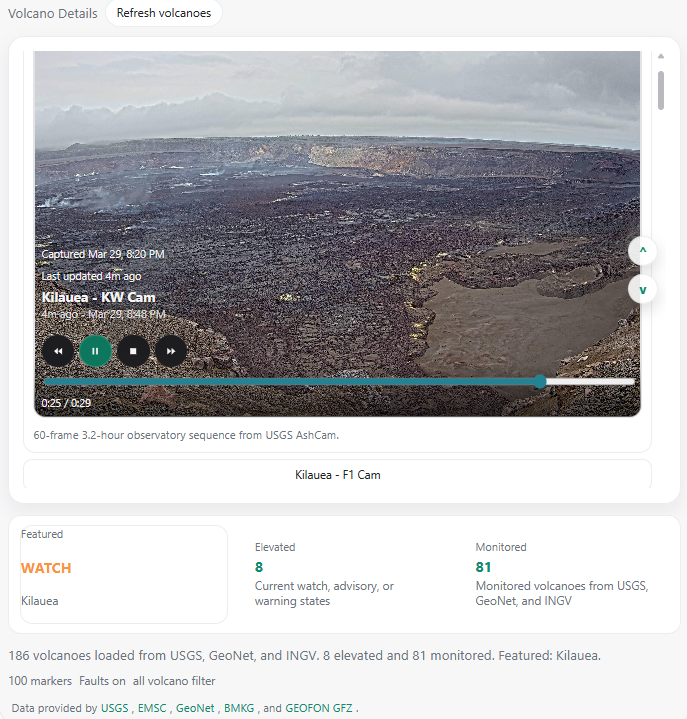
- video loops
- animated webcams
- still-image feeds
- frame sequences
- embedded live sources
And it wraps them in real controls:
- play and pause
- rewind and forward
- stop
- timeline scrubbing
- load progress indicators
- timestamps
- fullscreen mode
- quick feed switching when multiple sources exist
If a volcano has multiple observatory feeds, the app lets you switch between them. If it is an animated webcam, the app treats it like one. If it is a frame sequence, it shows the progression clearly. The result feels much closer to an observatory console than a static information page.
Alerts built for real monitoring habits
A seismic app should not require you to stare at it constantly. Seismic Watch Pro includes configurable alerts that let the app stay live in the background while still surfacing what matters. There are global alert controls for:
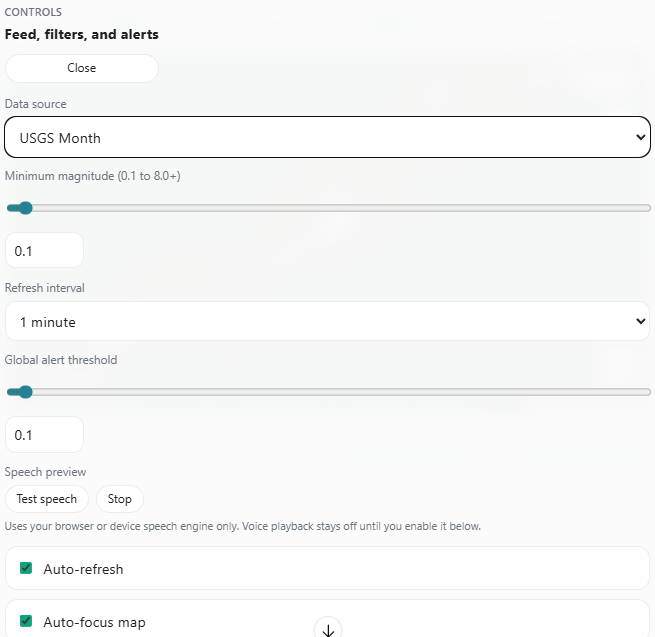
- alerts on or off
- magnitude threshold
- voice playback
- chat alerts
But one of the most useful newer features is regional watchlists.
Users can create watchlists for preset regions such as:
- Japan
- Alaska
- Chile
- Ring of Fire
Or create their own custom place or region watchlist.
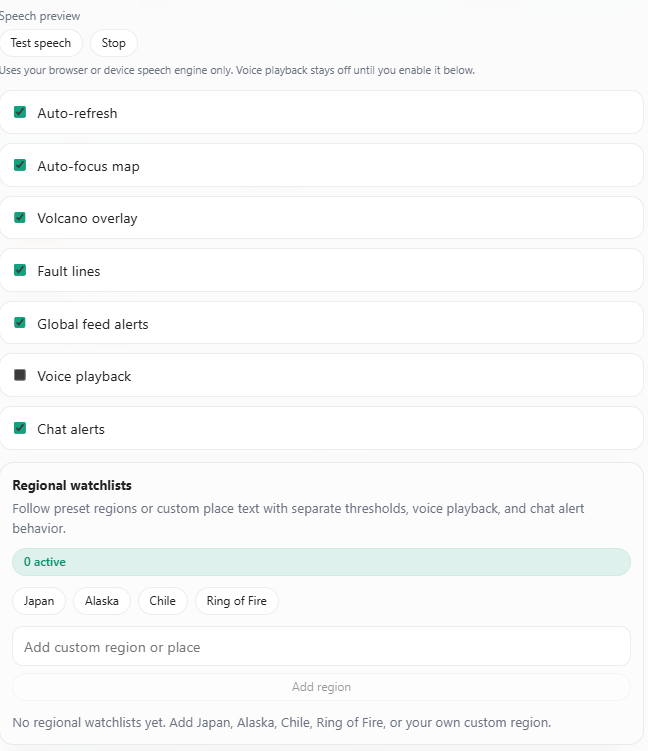
Each watchlist gets its own threshold and its own behavior for enabled, voice, and chat. That means you can keep broad global awareness while making specific locations much more sensitive and much more relevant to your own workflow.
There is also a speech preview in settings so users can test the browser or device speech engine before turning voice playback on for alerts or detail narration.
Browser speech that keeps the app lean and immediate
Seismic Watch Pro uses browser or device speech playback instead of a heavier server-side voice system. That keeps the experience fast and direct.
Users can trigger spoken playback for:
- earthquake details
- volcano updates
- eruptive context
- volcano profile sections
- field notes
- aviation status sections
That makes the app easier to use hands-free and gives it a stronger sense of live operational presence, especially when the dashboard is open during monitoring sessions.
A ChatGPT app that actually uses conversation well
What makes Seismic Watch Pro different is not just the dashboard. It is the way the dashboard and the conversation work together.
You can click through the app visually, but you can also speak to it in plain language:
- “Open Seismic Watch Pro”
- “Summarize the strongest earthquakes this week”
- “Show significant quakes”
- “Focus the map on Japan”
- “Inspect this earthquake”
- “Enable alerts for magnitude 5 and above”
- “Switch to volcanoes”
- “Show elevated volcanoes”
The app responds by updating the current dashboard in place wherever possible. Map movement, detail views, overlays, summaries, and alert changes feel like part of one continuous monitoring session rather than disconnected actions.
That is a big part of what makes the app compelling. You do not have to choose between a dashboard and a conversation. You get both.
Why Seismic Watch Pro feels different
There are plenty of places to look up earthquake data. Plenty of places to read volcano notices. Plenty of scattered maps, feeds, observatory pages, and dashboards.
Seismic Watch Pro brings those worlds together and gives them a much better interface.
It is fast enough for scanning. Rich enough for deep inspection. Visual enough for situational awareness. Conversational enough to feel natural inside ChatGPT. It gives you the map, the feeds, the analysis, the alerts, the volcanoes, the observatory media, and the science in one place.
When the Earth moves, Seismic Watch Pro helps you see it, follow it, and understand it.
Although Seismic Watch Pro is near realtime. Data is recieved as it is published from each data source. In the event of an emergency. Please get the most accurate information and data from your local services.
-Cire