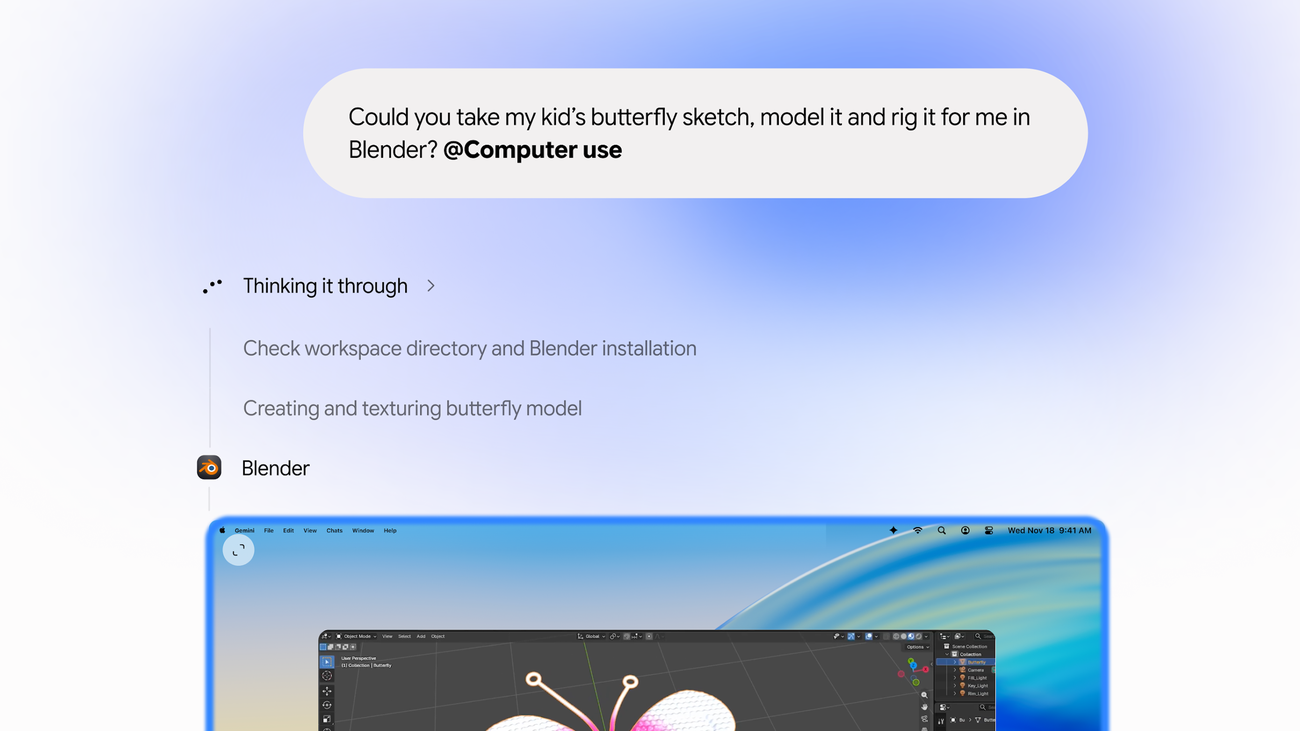

Google is rolling out computer use in the Gemini app for Mac, allowing its assistant to work across local files, desktop applications and websites. The November 19 announcement describes a separate background window with a live preview, so the automation does not need to take over the user's main cursor.
The official product notice lists a narrower audience than “all Mac users.” The rollout is in English in the United States, for personal Google accounts belonging to adults, with Google AI Plus, Pro or Ultra access. Hardware must be Apple Silicon and the operating system macOS Sequoia 15.0 or newer. Availability is a rollout, rather than a guarantee that every eligible account already has the feature.
The permission boundary is part of the product
Google says users choose which applications the assistant can access, watch its progress, pause execution and approve key actions. Those are announced controls, not a privacy or isolation audit by AiBrainWorX. A separate window should not be treated as proof that every operation is confined to an independently verified security sandbox.
The examples include extracting shipping information from documents, assembling presentations from dashboards and preparing creative workflows. They demonstrate the intended scope, but do not establish a success rate or the amount of supervision each task will require. We have not installed the app or repeated the examples.
Why an uninterrupted cursor could matter
Our analysis: desktop agents compete with a basic practical constraint: the computer is already in use. If an assistant repeatedly moves the pointer or changes the active window, the user may spend as much effort avoiding the automation as benefiting from it. A background workspace addresses that interaction problem even before considering whether the agent finishes its assignment.
The harder question is whether the user can understand and review consequential steps. A polished preview is useful only when it shows enough context to catch a wrong file, destination, amount or account. Completing a sequence of clicks is different from confirming the resulting business transaction.
For creative work, similar care applies to preserving source files and judging the output. Setting up a scene in an application does not establish that its geometry, materials or exported files meet a production requirement. A human still needs a usable checkpoint and a clear way to recover.
The release is therefore most interesting as a consumer workflow and interface development. It is not an open-weight model launch, a Windows feature or evidence that autonomous desktop work has become universally reliable. Eligibility, task quality and permission behavior remain the practical questions as access expands.
Original primary-source review and clearly labeled editorial analysis. No local model evaluation, Mac automation, cloud training, software installation or independent benchmark was performed.